Coverstar
- 4.7
- Rating
- 1.00M
- Installs
- Free
- Price

 Analysis by App-foxy
I approached Coverstar as a social app for people who want to share a polished, public-facing version of themselves without stepping straight into the roughest parts of mainstream social media. Its central promise is easy to understand: help users chase attention while keeping the atmosphere more positive than toxic. After spending time with it, my view is that the app works best as a lighter, creator-focused social space rather than as a complete replacement for every network you already use.
It is free to download, aimed at a Teen audience, and developed by Coverstar. The app has built a strong reputation in its category, with a 4.8 average from around 8.4 thousand ratings and more than 500 thousand installs. Those figures suggest that it has found a real audience, especially among younger users who want visibility, interaction, and a place to experiment with their online identity.
How Coverstar feels in everyday use
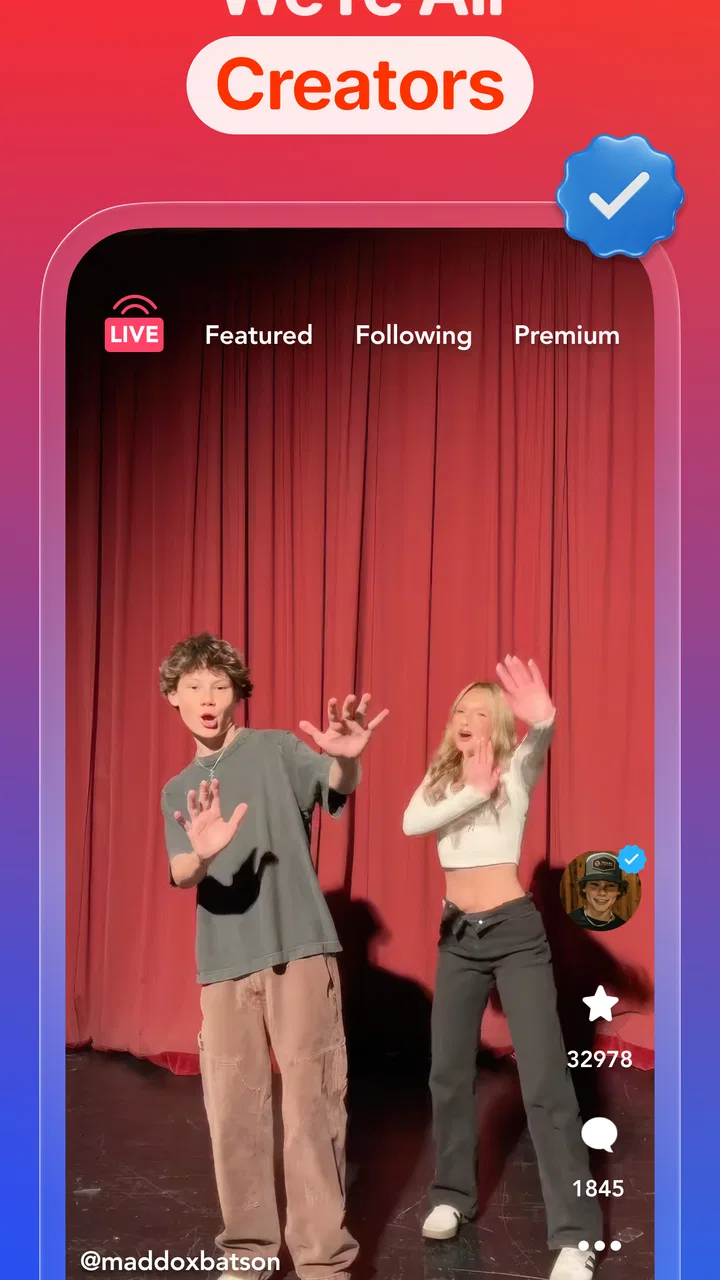
The first thing I noticed is that Coverstar is organized around presentation. The name, profile image, clips, and overall look of a user’s page matter because the app is designed around being seen. That makes it feel different from a private messaging app, where the main goal is keeping up with people you already know. Here, the appeal is discovering accounts, reacting to content, and gradually building a recognizable profile.
You May Also Like

 Blood Strike: 2.5 Anniversary
Blood Strike’s Loadouts Turn Every Drop Into a Tactical Gamble
A close look at Blood Strike’s custom loadouts: how fast access to signature weapons reshapes its battle royale rhythm, rewards preparation, and narrows the gap between fights.

 Pandora - Music & Podcasts
Pandora’s Music Is Easy to Start, but Harder to Recover
Pandora’s strength is its low-effort path from a seed to a station. Its weak spot is how much confidence it asks you to place in connection, setup, and quiet recovery.

 8 Ball Pool
 Is Built on Rivalries, Rematches, and Routine
A close look at the rivalries, rematches, shared routines, and unanswered safety questions that turn a quick pool match into a persistent mobile community.

 Samsung Music
’s Quiet Strength Is Playing What You Already Own
Its reach comes less from spectacle than from dependable access to a personal library. That simplicity is both the app’s strongest retention engine and its ceiling.

 AccuWeather: Weather Radar
AccuWeather Review: A Quick, Clear Forecast for Everyday Decisions
For everyday plans, the best forecast is the one you can understand quickly. AccuWeather makes rain timing, radar, and local conditions easy to act on, with a few trade-offs.

 Hill Climb Racing
Why Hill Climb Racing Still Turns Crashes Into One More Run
A tiny car, a bumpy hill and one more upgrade: Hill Climb Racing keeps resurfacing because its simple chaos makes every near-miss feel personal.
More From Our News Desk
View All News


I would describe the experience as a mix of a social feed and a small creator stage. You can use it casually, but the design encourages you to think about what you post and how it represents you. That can be motivating if you enjoy editing short content, trying different styles, or following trends. It can also create pressure if you dislike public reactions or find yourself checking engagement too often.
A realistic everyday use case would be a student who has a few minutes after school and wants to post a short performance, outfit idea, drawing, joke, or edited clip. Instead of sending it only to close friends, that person can use Coverstar to test how a wider audience responds. The useful part is not simply uploading; it is seeing which presentation choices make a post feel more inviting and which ones get ignored.
That makes the app surprisingly useful for learning basic social-media craft. I found that a clear profile theme, a consistent tone, and captions that explain the point of a post make browsing more enjoyable. A random collection of uploads can still work, but a little organization helps other users understand why they should follow you.
A better fit for discovery than private conversation
Coverstar is not the app I would choose when my main goal is talking privately with family or maintaining a small group of close friends. A messaging service is more direct for that. Coverstar makes more sense when you want your content to travel beyond your immediate circle and when public interaction is part of the fun.
Compared with a large, general-purpose social network, the experience feels more focused. The benefit is that the app can feel less overwhelming for someone who wants a simpler place to post and browse. The trade-off is reach: a smaller, more focused community may not offer the same variety of creators, conversations, or established contacts that users find on bigger platforms.
Compared with short-video services built almost entirely around algorithmic entertainment, Coverstar feels more connected to the profile itself. That is important. A user is not only chasing a single successful clip; they are also shaping a public identity. If you enjoy the profile-building side of social media, that focus is a genuine advantage.
What I would do before posting
My practical advice is to treat the profile as a small portfolio rather than a storage bin. Choose a recognizable image, keep the description simple, and decide what kind of content you want people to associate with you. That does not mean every post needs to look professional. It simply prevents the account from feeling confusing to new visitors.
I would also prepare several posts before expecting the account to gain momentum. One upload gives people very little context, while a small collection lets them decide whether your style is worth following. This is one of the less obvious strengths of the app: it rewards users who think in terms of an ongoing presence instead of treating every post as an isolated event.
Another useful habit is to separate experimentation from personal exposure. If you are trying a new style, avoid including details that reveal where you live, study, or spend time. A public social profile can be enjoyable without becoming a detailed map of your routine. That is especially important because the app is intended for teens and public attention can arrive from people you do not know personally.
What the current version says about the app’s direction
The current version is 9.7.3, which shows that Coverstar is not an abandoned experiment. It has continued through multiple iterations since its release on August 6, 2018. I would not treat a version number as proof that every part of the experience is perfect, but it does support the impression of a product that has been maintained and refined over time.
The evolution matters because social apps need to adjust constantly. User expectations change, content styles change, and the balance between visibility and comfort is never fixed. A platform built around the idea of going viral without becoming toxic has to keep working on that balance as its community grows.
From a user’s perspective, the important takeaway is that the app feels like an established social product rather than a temporary trend. At the same time, I would keep expectations realistic. Continued development does not guarantee that every feature will suit every user, and a mature app can still have rough edges in discovery, moderation, or the way attention is distributed.
The store summary presents the service as a way to become popular without embracing a hostile atmosphere. I read that as an intention, not an absolute promise. Any platform where people post publicly and receive reactions can produce comparison, disappointment, or unwanted contact. The app’s value depends partly on how responsibly users behave and how effectively the service handles difficult interactions.
How existing users may experience the evolution
For someone who has used Coverstar for a while, the biggest benefit of ongoing updates is likely a more settled experience. New users can enter without feeling that they are joining an unfinished project, while returning users can continue building on an account instead of starting over elsewhere. The version history also suggests that the developer has had time to respond to changing expectations.
There is a less comfortable side to that evolution. As a social app becomes more established, users may feel more pressure to keep up with the community’s style. A format that once felt casual can gradually become more polished and competitive. If you joined because you wanted a relaxed place to share, it is worth checking whether you are still enjoying the activity rather than automatically chasing better reactions.
I would approach growth in stages. First, post for a small period while learning how the community responds. Next, decide whether public discovery is actually enjoyable for you. Only after that would I spend money or put serious effort into editing. This workflow prevents the common mistake of investing time and purchases before knowing whether the social environment feels comfortable.
Free access and optional spending
The app is free, but in-app purchases range from $0.99 to $99.99 per item. That wide range deserves attention, especially for younger users. Free entry makes it easy to try the core experience, yet optional purchases can become tempting when social visibility is involved.
My recommendation is simple: use Coverstar without spending anything at first. Learn what you can do naturally, decide whether you are receiving genuine enjoyment, and only then consider whether a purchase has a clear purpose. Buying something to solve boredom or chase approval is rarely a good trade. Parents and teens should also discuss payment boundaries before an account is used regularly.
The presence of purchases does not automatically make the app poor value. Some users are happy to support a service or pay for optional extras. The issue is whether spending improves the experience in a meaningful way or merely encourages more attention-seeking. I would judge every purchase by that standard.
Where Coverstar still has limits
The app’s biggest limitation is built into its strongest idea: public visibility can be exciting, but it can also be tiring. If you are sensitive to likes, comments, follower counts, or the feeling that every upload needs to perform, Coverstar may become stressful. A private group chat or a smaller closed community would be a better choice for sharing without that pressure.
I also would not recommend it as the only social outlet for a teen. A public profile can encourage creativity, but it should not replace real-world friendships or private communication with trusted people. The healthiest use is probably occasional and intentional: post, interact, leave the app, and return when you actually have something you want to share.
Another trade-off is that a positive tone cannot remove every risk associated with social discovery. Users still need to think carefully about what they reveal, who they respond to, and whether a conversation feels appropriate. If an interaction becomes uncomfortable, the right response is to stop engaging and involve a trusted adult when necessary, rather than trying to win the exchange.
People who want deep discussion may also find the format limited. Coverstar is better suited to visual self-expression and quick interaction than to long explanations, detailed communities, or professional networking. If your goal is building a career portfolio, reaching a specialized audience, or managing a private creative team, another platform will likely offer stronger tools.
Who should try it, and who should skip it
I think Coverstar is a good match for teens and young creators who enjoy posting visual content, discovering other profiles, and gradually developing an online style. It is particularly appealing if you want something more focused than a huge general social network and more profile-oriented than a feed that treats every clip as disposable.
I would suggest skipping it if you want a completely private experience, dislike public feedback, or already feel that social apps take too much of your attention. It is also not the right choice for someone looking for a dedicated messaging tool, a serious professional network, or a platform centered on long-form content.
Families should pay attention to the Teen content rating and make sure the app fits the young person using it. The useful conversation is not only about whether the app is allowed; it is about what the user plans to post, how much time they want to spend, and what they should do if an interaction feels wrong.
What I would watch before committing
If I were deciding whether to make Coverstar part of my regular routine, I would watch three things. First, I would look at the quality of interactions rather than only the number of reactions. A smaller number of thoughtful responses can be more valuable than a busy feed full of shallow attention.
Second, I would pay attention to how easy it is to control my own boundaries. The ability to enjoy discovery without exposing too much of my life is essential. I would keep personal details out of posts, review my profile from the perspective of a stranger, and avoid treating every new contact as a friend.
Third, I would watch whether the app remains enjoyable when a post performs poorly. That is an honest test. If I can upload something, receive little response, and still feel that sharing was worthwhile, the platform is serving my creativity. If my mood depends on performance, I would take a break or move to a more private alternative.
The developer’s ongoing version work is encouraging, but the long-term question is how well Coverstar preserves its intended atmosphere as more people join. Growth can bring more discovery and more opportunities for creators, yet it can also increase competition and unwanted behavior. I would judge future changes by whether they make the community easier to navigate without making users feel pushed to perform constantly.
My recommendation after using it
Coverstar is a focused social app with a clear personality. I like that it gives profile-building and positive presentation more attention than many chaotic feeds, and I can see why it has earned a strong average rating from its community. The free starting point makes it easy to test, while the current version shows that the service has continued developing since its launch.
Still, I would recommend it with boundaries rather than blind enthusiasm. Keep personal information private, avoid spending until you understand the experience, and do not measure your worth by public reactions. Those habits are not optional extras here; they are what make the app more manageable.
My final view is that Coverstar is worth trying for a teen or young creator who wants a public place to experiment with content and build a recognizable profile. It is less suitable for private conversation, serious professional work, or anyone who wants social media without visibility pressure. Used in short, intentional sessions, it can be a fun creative outlet. Used as a constant scoreboard, it may quickly become more demanding than enjoyable.
FAQs for Coverstar
01What is Coverstar and what can I do with it?
Coverstar is a dynamic app designed for music enthusiasts to create and share cover versions of their favorite songs. Users can record their performances with professional-grade audio and video effects, engage with a community of music lovers, and even collaborate with other artists. It's perfect for aspiring musicians looking to showcase their talent.
02Is Coverstar free to use, or does it require a subscription?
Coverstar offers a free version with basic features, allowing users to explore the app and create covers. However, for advanced features like premium audio effects, additional video editing tools, and ad-free experience, a subscription is required. Users can choose from monthly or yearly plans to access these premium features.
03What kind of music library does Coverstar offer?
Coverstar boasts an extensive music library, covering a wide range of genres including pop, rock, hip-hop, and classical. The app regularly updates its catalog with the latest hits and timeless classics, ensuring users have access to a diverse selection of tracks for their covers. This makes it suitable for all musical tastes.
04Can I collaborate with other users on Coverstar?
Yes, Coverstar encourages collaboration by allowing users to connect with others in the community. Users can invite friends or discover new artists to work on joint projects. This feature fosters a collaborative environment where musicians can learn from each other and create unique, co-produced content.
05Is Coverstar available for both Android and iOS devices?
Coverstar is available for both Android and iOS platforms, ensuring a wide accessibility for users. The app is optimized for smartphones and tablets, providing a seamless experience across devices. Simply visit the Google Play Store or Apple App Store to download and start your musical journey with Coverstar.
Pros
- User-friendly interface makes navigation easy.
- Wide range of music genres available.
- High-quality audio for recordings.
- Interactive community engagement features.
- Regular updates with new tracks and features.
Cons
- Limited offline functionality for free users.
- Occasional ads interrupt user experience.
- In-app purchases can be costly.
- Some tracks require premium subscription.
- Requires stable internet for best performance.

Coverstar
Gallery